
Internal linking is the practice of linking one page on your website to another page on the same website. These links help users navigate related information while helping search engines discover pages, understand website structure, and identify relationships between topics. A strong internal linking strategy connects important pages with relevant supporting content instead of leaving useful pages isolated.
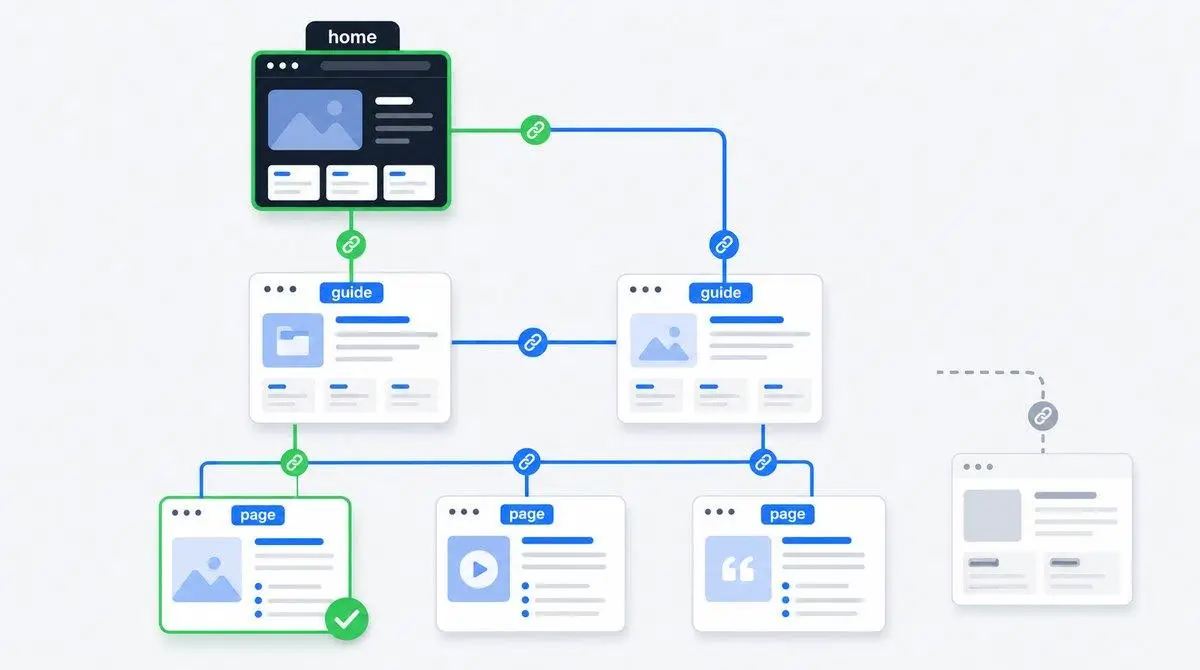
For SEO, internal links support three important areas: crawlability, site architecture, and link equity. They can guide search engines toward valuable pages and help users move from general information to specific services, products, or detailed resources. For a business website, internal linking can connect blog content with service pages and create a clearer path toward conversion.
What Are Internal Links and How Do They Work?
Internal links are hyperlinks that point from one URL on your domain to another URL on the same domain. For example, a page about technical SEO can link to your page about website audits. The link gives users a direct path to related information and gives search engines another route to discover the destination page.
Internal links use anchor text, which is the clickable text within a link. Descriptive anchor text gives users and search engines useful context about the destination. A link using “technical SEO audit services” provides more information than a generic “click here” link.

What Are the Types of Internal Links?
Different types of internal links serve different navigation and SEO purposes.
Navigational Internal Links
Navigational links appear in main menus, category menus, and other primary navigation areas. These links help visitors reach important sections of a website and establish a clear site hierarchy.
Contextual Internal Links
Contextual links appear naturally within page content. A blog about keyword research might link to a detailed SEO services page when the service is relevant to the discussion. These links connect related subjects and help users continue their research.
Breadcrumb Links
Breadcrumbs show the user\’s location within the website hierarchy. A product page might display Home > Services > SEO Services > Local SEO. Breadcrumb links help users move back through related levels and reinforce relationships between pages.
Footer and Sidebar Links
Footer and sidebar links provide additional navigation. These links can support important pages, but excessive sitewide links can create clutter. Use these areas for genuinely useful destinations rather than adding every URL on the website.
Call-to-Action Links
Call-to-action links direct visitors toward an action, such as contacting your company, requesting a quote, viewing a service, or reading a related guide. These links can connect informational content with commercial pages.
Why Does Internal Linking Matter for SEO Performance?
Internal linking matters because it helps search engines discover content, understand relationships between pages, and interpret website hierarchy. It also gives users clearer navigation paths.
When several relevant pages connect to a central resource, search engines receive stronger structural signals about how those pages relate. Internal links can help distribute link equity across your website, although links do not guarantee higher rankings.
Internal links can support crawlability by giving search engine crawlers additional paths to pages. This becomes especially important for large websites, websites with deep URL structures, and websites that regularly publish new content.
Internal linking also supports user experience. A visitor reading about SEO audits may need information about technical SEO, keyword research, or local SEO. Relevant links reduce the effort required to find the next useful page.
How Do You Build an Internal Linking Strategy?
Start by identifying the pages that matter most to your business. These pages may include service pages, product pages, category pages, important resources, or high-value landing pages.
Next, identify related content that can naturally support those priority pages. A service page about local SEO can receive relevant links from articles covering Google Business Profile optimization, local keyword research, citations, and local ranking factors.
Use descriptive anchor text that accurately represents the destination page. Avoid forcing the exact same keyword into every link. Natural variations can provide context without making the content look repetitive.
Link to deeper pages instead of sending most internal links to the homepage. Important pages should remain accessible through relevant pathways from other sections of the website.
When publishing new content, review older relevant pages and add useful links to the new resource. Then review the new article for opportunities to link back to established pages. This creates stronger connections across the content library.
How Many Internal Links Should You Include Per Page?
There is no universal number of internal links that every page should contain. Relevance and usefulness matter more than reaching a fixed link count. Add an internal link when the destination gives the reader useful information or supports the page topic.
A short service page may need only a few relevant links, while a detailed guide can naturally contain more. Avoid adding links simply to increase the number of internal links. Every link should serve navigation, context, or conversion.
What Is an Internal Links Example?
An internal links example is a blog about “How to Improve Local SEO” linking to a related page titled “Local SEO Services.” The source and destination URLs belong to the same website, so the link is internal.
Another example is a product category page linking to an individual product page. A website design article linking to a web design service page is another practical example.
How Do You Use Anchor Text Correctly?
Use anchor text that clearly describes the page being linked. Descriptive text helps readers understand what they will find after clicking and gives search engines additional context.
For example, “technical SEO audit services” is more informative than “learn more” when the destination explains technical SEO audits. However, repeating one exact-match phrase across many links can create an unnatural pattern.
Use natural variations where appropriate. This also applies when adding links to content resources about optimizing website content for SEO, where the anchor should describe the resource rather than simply repeat a target keyword.
How Do You Fix Orphan Pages and Broken Links?
An orphan page has no internal links pointing to it from other accessible pages on the website. Search engines may still discover an orphan page through other sources, but internal connections make discovery and navigation easier.
Find orphan pages during a site audit and determine whether each page deserves to remain published. Add relevant internal links from established pages when the content provides genuine value.
Broken internal links lead users or crawlers to unavailable URLs, such as deleted pages or incorrect paths. Replace broken links with the correct destination, redirect the URL when appropriate, or remove the link if no useful replacement exists.
How Do You Audit Your Internal Links?
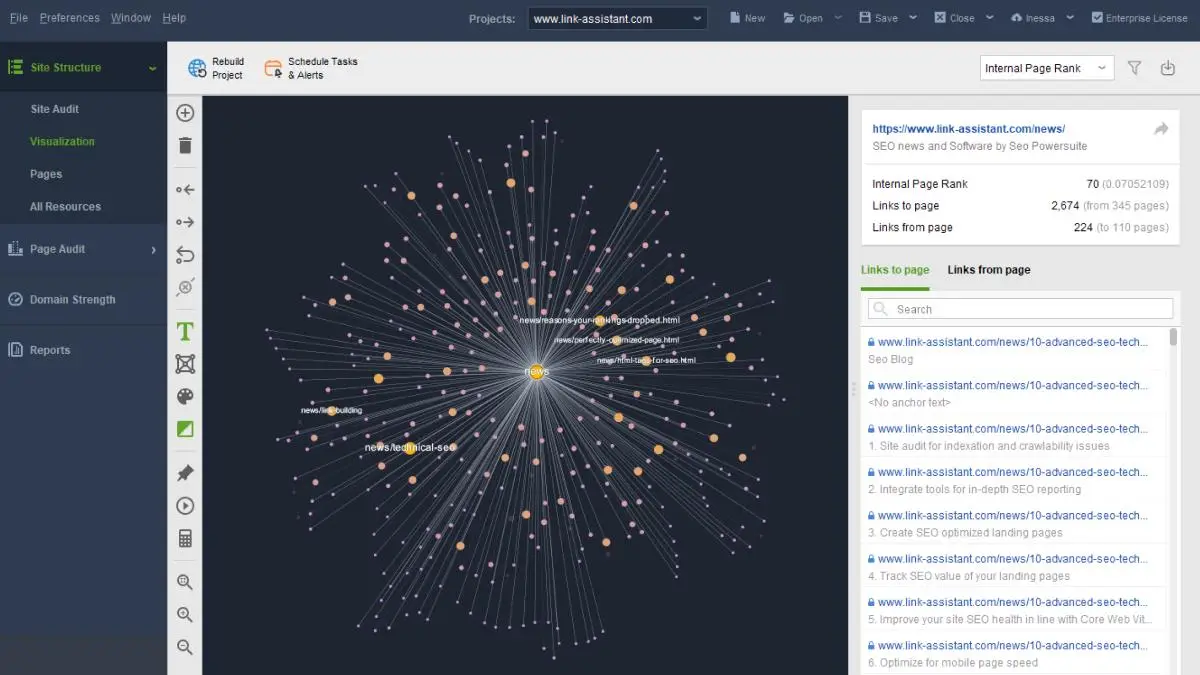
A regular internal link audit helps you identify structural problems before they affect usability or content discovery. Start by crawling the website with a tool such as Screaming Frog, Ahrefs, or Semrush.
Review which pages receive internal links, which pages have very few links, and whether important pages are connected from relevant content. Check anchor text for clarity and variation.
Google Search Console can provide additional information through its Links report. Use the report alongside a full crawl because different tools provide different views of your internal linking structure.
Check for broken links, orphan pages, excessive redirects, weak click paths, and pages that receive links only from low-value areas. Then prioritize fixes based on business importance and user value.
How Are Internal Links Different From External Links?
Internal links connect pages within the same website, while external links point to pages on another domain. For example, a Karachi SEO Services article linking to another page on the same website uses an internal link. A link to Google, an industry publication, or another company website is an external link.
Backlinks are different because backlinks come from other websites and point toward your website. Internal links are controlled by your website team, so you can manage their destinations, anchor text, placement, and relationship with surrounding content.
Understanding this difference helps you build a balanced linking structure. Internal links organize your own content, external links can support references, and backlinks can contribute to your website’s authority when earned from relevant, trustworthy sources.
How Does Internal Linking Support Topic Clusters?
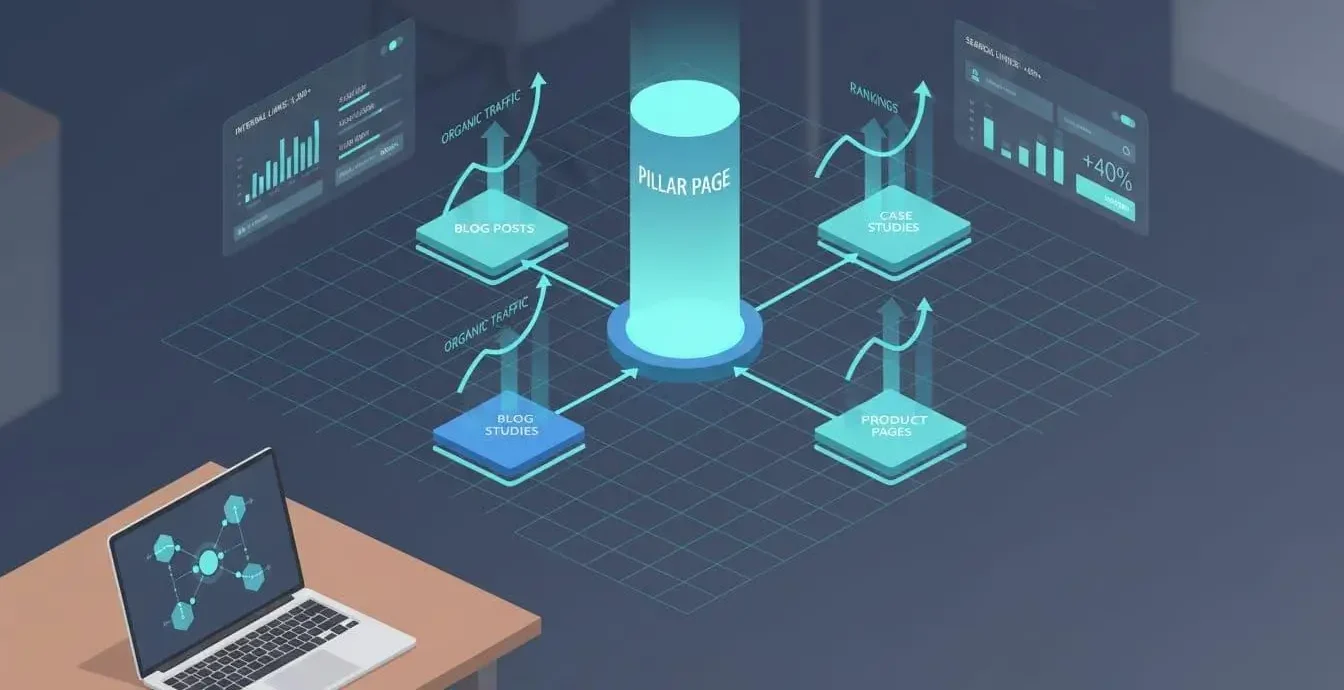
Internal linking strengthens topic clusters by connecting a central page with related supporting pages.A clear SEO content strategy can help determine which pages should serve as central resources and which should support narrower topics.
For example, an SEO services page can connect with articles about technical SEO, local SEO, keyword research, content optimization, and SEO audits. Those articles can link back to the relevant service or broader resource when the connection makes sense.
This structure helps users explore a subject and gives search engines clearer signals about topical relationships across the website.
What Are Common Internal Linking Mistakes?
Common mistakes include using generic anchor text, adding irrelevant links, creating excessive sitewide links, leaving valuable pages isolated, and ignoring broken URLs.
Another mistake is linking mainly to the homepage or a small group of top-level pages. Important deep pages need relevant internal connections as well.
Avoid treating internal linking as a mechanical SEO task. Links should support the content and user journey first. If a link does not provide useful context or navigation, removing the link is often better than forcing it into the page.
How Can You Measure Internal Linking Performance?
Measure internal linking performance by reviewing crawlability, internal link distribution, important page accessibility, and user navigation. Analytics data can show whether visitors continue to related pages after entering through articles or landing pages.
You can compare internal link coverage before and after an audit, monitor important pages in search performance tools, and inspect whether newly published pages receive relevant links.
The goal is not to maximize link volume. The goal is to create a logical structure where users and search engines can reach valuable content efficiently.
Internal Linking Best Practices for B2B Websites
B2B websites benefit from internal links that connect educational content with commercial pages. Link guides, case studies, industry resources, and comparison pages to relevant services when the connection is useful.
Create pathways between related solutions, supporting resources, and conversion pages. A technical article can link to a related service, while a service page can link to detailed resources that answer common buyer questions.
Use clear anchors, maintain logical page relationships, and review links whenever services, URLs, or content change.
Conclusion
Internal linking is a core part of SEO because it connects pages, supports navigation, improves crawl paths, and helps search engines understand website relationships. A strong strategy focuses on relevance rather than link volume.
Connect important pages with useful contextual links, use descriptive anchor text, fix broken and orphaned pages, and audit your structure regularly. When internal linking supports both users and search engines, your website becomes easier to navigate and easier to understand.
Frequently Asked Questions
What is an example of an internal link?
An internal link connects one page on your website to another page on the same website. For example, a blog about local SEO can link to your local SEO services page using descriptive anchor text such as “local SEO services.”
What does internal linking mean?
Internal linking means creating links between pages within the same website. Internal links help users navigate related information while helping search engines discover pages, understand site structure, and identify relationships between relevant content.
How to create an internal link?
Create an internal link by selecting relevant anchor text and linking that text to another URL on your own website. Use a destination that adds useful information, and make sure the anchor accurately describes the linked page.
How can I find the internal links on my website?
You can find internal links by crawling your website with tools such as Screaming Frog, Ahrefs, or Semrush. Google Search Console also provides an internal links report that helps you review which pages receive internal links.